Fix report
Accessibility Fix Report
We test your website against WCAG 2.2 A and AA in a real browser, walk its main path with the keyboard alone (on a store, up to the checkout button) and give your developer the change for every barrier, built from your own markup.
- Up to 25 pages tested
- Keyboard journey test
- 5 re-tests included
What we check
WCAG 2.2 A and AA rules
Automated axe-core tests on your key pages and up to 20 more from your sitemap: alt text, colour contrast, names for buttons and links, form labels, headings, landmarks and ARIA.
Keyboard journey test
Using only the keyboard: on a store, home page to product, options, Add to cart and cart, stopping at the checkout button; on other sites, home page to the key page, its main call to action and its form fields. Nothing is ever submitted.
Focus traps and visible focus
Whether focus gets stuck, for example in a cookie banner, and whether visitors can see where it is.
Phone reflow at 320 px
Whether pages need sideways scrolling on a small phone (WCAG 1.4.10).
Demand letter claim map
If you paste a letter, each claim is matched to what our tests reproduced, with instance counts per page.
Items for a human check
What the tests flag but can’t decide, such as text over images, with how to check each one.
What you get
- A prioritised list: fix first, fix next, improve
- Before-and-after code built from each failing element
- Steps for Shopify, WordPress, WooCommerce or the platform we detect
- A ready-made AI prompt for every finding
- Screenshots with the failing element outlined
- A draft accessibility statement and an evidence log
- 5 re-tests to confirm your fixes, and a PDF
How the report is made
- 1
Your free scan’s five pages, plus up to 20 more from your sitemap, are loaded in Chromium and tested with axe-core.
- 2
A separate browser session walks the site’s main path with the keyboard only and records each step, with a screenshot where something fails.
- 3
Each failure gets a fix written for your platform, then the report is assembled and emailed to you.
Findings from the sample report
Real output for Harbor & Pine, a fictional store we built with common problems.
- Critical
@axe/button-name/help{"$en":"Buttons must have discernible text"}
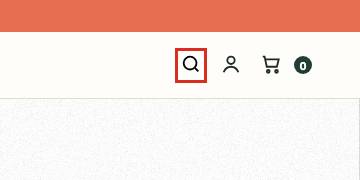
41 instances on 9 pages. WCAG 4.1.2 requires every control to have a name. Unnamed buttons often include quantity steppers, close buttons and slider arrows.
Fix: Add visible text, visually hidden text, or an aria-label that says what the button does (for example {a} or {b}).{"a":"aria-label=\"Close\"","b":"aria-label=\"Increase quantity\""}
- Critical
@axe/image-alt/help{"$en":"Images must have alternative text"}

22 instances on 7 pages. WCAG 1.1.1 requires a text alternative for meaningful images. Without it, a screen reader user can't tell which product a photo shows.
Fix: Describe what matters to a shopper: product name, color and the angle shown (for example 'Canvas tote in olive, front view').
- Critical
@axe/label/help{"$en":"Form elements must have labels"}
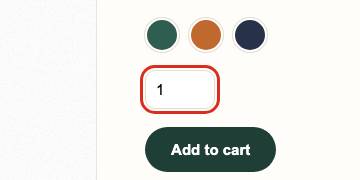
7 instances on 6 pages. WCAG 1.3.1, 3.3.2 and 4.1.2 require form fields to have labels. Newsletter sign-up and search fields are common offenders.
Fix: Placeholder text alone does not count as a label.
What it doesn’t cover
- Screen reader output, captions and audio description (a manual checklist is included)
- Checkout, payment and form submission
- Pages behind a login
- Legal advice, or a certificate of ADA or EAA compliance
Questions about this report
Is this a full WCAG audit?
It is an automated audit plus a keyboard journey test. Automated tests find part of the WCAG issues on a site, so the report also lists what needs a human check and how to do it.
Does it help with an ADA demand letter?
If you paste the letter, the report shows which claims our tests reproduce on your website, with evidence. It is a factual record, not legal advice; talk to a lawyer about the letter itself.
Which platforms does the code work for?
The fixes are written for the platform we detect: Shopify themes, WordPress and WooCommerce, Webflow, BigCommerce, Wix, Squarespace, frameworks such as Next.js, or plain HTML. Where we can’t see your source code, file locations are given as hints.
What are the 5 re-tests?
After your developer makes changes, you can run the same checks again from the report, up to five times, and see which problems are no longer reproduced.
Related guides
- Accessibility overlays and the FTC's accessiBe order: what store owners should knowThe FTC's 2025 order made accessiBe pay $1 million over WCAG compliance claims. What the order says, what it doesn't, and what stores using overlays should do.
- Got an ADA website demand letter? What to check firstWhat ADA website demand letters usually allege, how WCAG fits in, what to gather, why overlays don't fix code, and when to call a lawyer. Not legal advice.
- WCAG 2.2 AA checklist for online storesA WCAG 2.2 AA checklist for Shopify and WooCommerce stores by page type: alt text, contrast, labels, keyboard, focus, target size and the new 2.2 criteria.
Other reports
- EAA Readiness ReportList price $199, launch price $139
- SEO Fix ReportList price $99, launch price $69
- Performance Fix ReportList price $79, launch price $55
- Conversion ReportList price $149, launch price $104
- Website Security ReportList price $99, launch price $69
- Email Deliverability ReportList price $49, launch price $34
Scan your website today
Find it. Fix it. Verify it.
Free scan. No credit card required.